Is there a text-to-speech app for video creators that runs on my Mac with no per-character fees?
Yes. txt2mp3 is a desktop app that runs a neural speech model directly on Apple silicon. You pay for the app once. After that, generating narration costs nothing per character, per credit, or per month, because there is no service on the other end to meter you. The model sits on your own disk and renders on your own GPU.
What local generation changes about your workflow
The habit a meter trains into you is rationing. You proofread a script three times before rendering, because a wasted render is wasted credits. You accept a take with one awkward sentence, because re-rendering the section costs the same as rendering it the first time.
Remove the meter and the workflow inverts. Render early, render often, keep the takes side by side, and pick the best one. A re-render is a click and a few seconds of your Mac working, not a line item.
Where the one-time model still has limits
A local app ships one very good model, not a catalogue. If your channel needs forty different character voices in twelve languages, a cloud library serves you better, and the last section of this guide says so plainly. The one-time model wins on a narrower, more common job: one channel, one consistent narrator, lots of minutes.
Why unlimited voiceover plans still have a meter
Most tools marketed with the word unlimited cap something else instead: characters per request, credits per month, or hours of processing. The word describes the marketing tier, not how much speech you can ship.
Character caps, credit pools, and processing minutes
The caps take three shapes:
- Per-request character caps. Speechma, a free browser tool, advertises unlimited daily use but accepts at most 2,000 characters per conversion. A ten-minute script means splitting your text into five or more chunks and stitching the audio back together.
- Credit pools. ElevenLabs meters every plan in credits, where one character of standard text-to-speech consumes about one credit. The Creator plan is $22 a month for 121,000 credits; the Pro plan is $99 for 600,000. On Voicemaker, purchased credits stay valid for one year, and unused credits are cleared when a plan lapses.
- Processing time. Descript meters its plans in media hours: 60 minutes a month free, 10 hours on Hobbyist, 30 on Creator. Voiceover shares that pool with everything else you edit.
What the vendor pages leave undefined
The number the caps hide is the one you actually need: what a minute of narration in your published video costs. None of the 23 pricing and comparison pages we reviewed for this article converts its plan price into that figure, and none of them counts re-renders at all. That is the gap the next section fills.
Working out your TTS cost per finished minute
Divide what you pay each month by the minutes of narration you actually published that month. Not the minutes you generated, the minutes that shipped. Re-renders are the difference between those two numbers, and they are why the real figure is a multiple of anything on a pricing page.
The formula, with a worked example
Narration at a measured pace runs about 150 words a minute, and English averages roughly six characters per word once you count spaces. So one finished minute is about 900 characters of script. What those characters include, from spaces to markup, is spelled out in our explainer on what per character billing means.
Take the ElevenLabs Creator plan: $22 for 121,000 credits, which is roughly 134 minutes of generated audio. The naive division says $0.16 per minute. Now add the channel. A weekly show with ten-minute videos publishes 40 finished minutes a month. If you render each section three times before approving it, which is normal, those 40 finished minutes consume about 120 generated minutes, or 108,000 credits. You just fit inside the plan, and your real cost is $22 ÷ 40 = $0.55 per finished minute, three and a half times the naive figure.
Counting re-renders and failed takes
The multiplier is the fragile part. Stretch the same channel to fifteen-minute videos and the three-take habit needs about 162,000 credits, which no longer fits in Creator. The next tier is Pro at $99, and the real cost becomes $99 ÷ 60 = $1.65 per finished minute. Nothing about your channel got more expensive to make. You crossed a line on someone else's meter.
Run your own version before trusting ours: your monthly bill, divided by the minutes you published, and be honest about how many takes each section needs.
Cloud subscription vs one-time local app
A subscription bills for every month you keep narrating and stops working when you stop paying. A one-time app bills once. The break-even is the month your cumulative subscription spend passes the purchase price, and for a weekly channel it arrives fast: against the Creator plan at $22 a month, txt2mp3's standing price of $99 is passed during month five. One month of the Pro plan is the whole app. Launch copies are cheaper still, which only moves the crossing earlier.
| Option | Billing model | Cost per finished minute at volume | Script leaves your machine | What you keep if you stop paying | Caption timestamp export |
|---|---|---|---|---|---|
| ElevenLabs (cloud) | Monthly credit pool, ~1 credit per character | ~$0.55 on Creator at 40 finished min/month with three takes; $1.65 on Pro at 60 | Yes | Exported audio only; unused paid credits expire | Not stated on the pricing page |
| Speechma (free browser) | Free, capped at 2,000 characters per conversion | $0 in money; paid in splitting and stitching every script | Yes | Nothing is stored to lose | Not stated |
| txt2mp3 (one-time local) | One payment, then every render is free | Purchase price ÷ every minute you ever render, falling forever | No | The app, the model, your voices, your render history | Word-level JSON |
What you keep when you stop paying
This column deserves the emphasis, because it is where the two models differ most. Cancel a cloud plan and your exported MP3s survive, but the cloned voice, the projects, and any unused credits live on the vendor's side of the meter. ElevenLabs states that unused paid credits expire when a subscription ends. A local app has no equivalent event: the model, your voices, and your history are files on your disk, and files do not expire.
How local speech generation works on Apple silicon
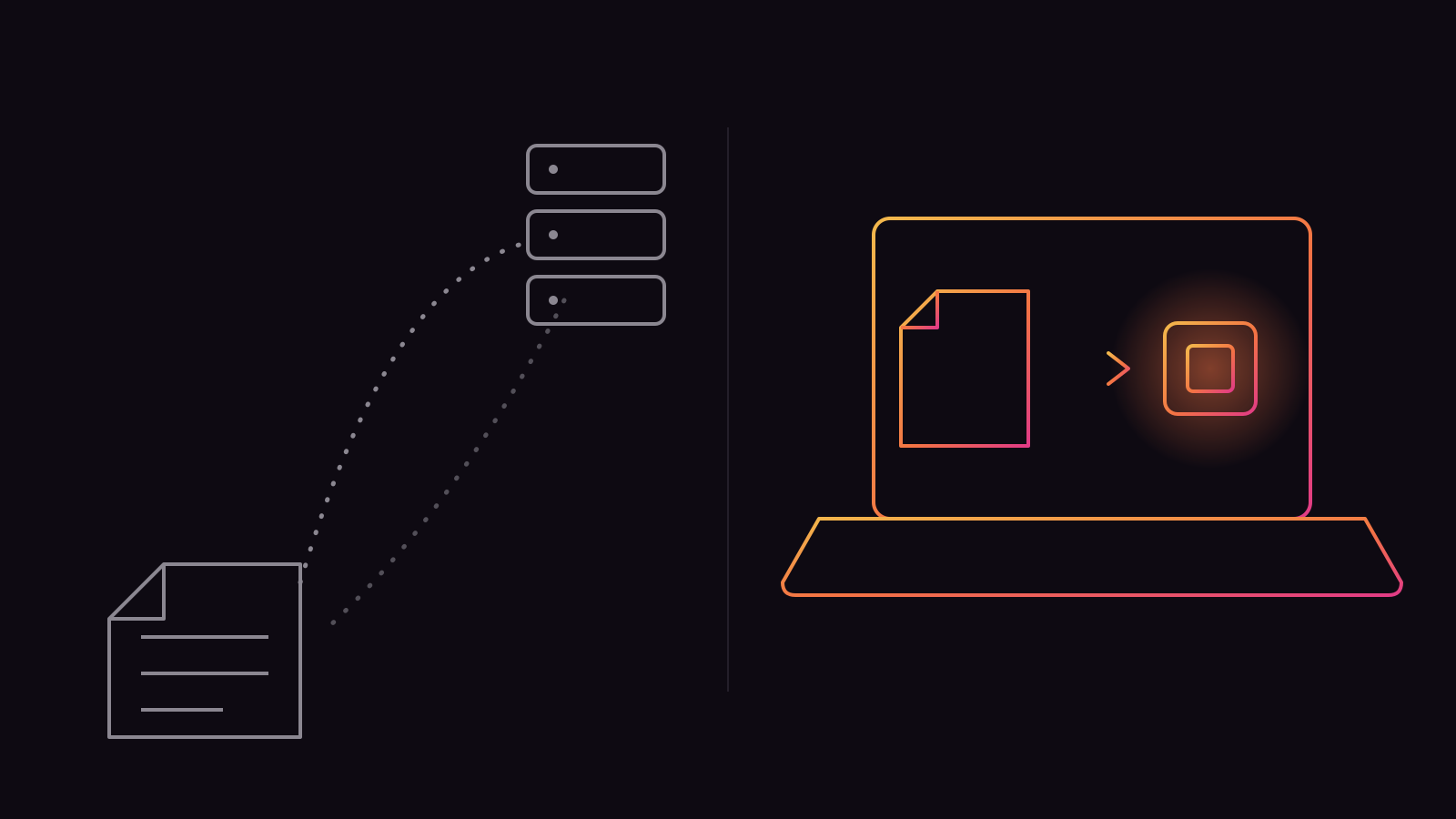
The speech model is a set of weights on your disk, about 5 GB for the model txt2mp3 uses. Generation runs on the Mac's own GPU. Apple silicon makes this practical because of unified memory: the CPU and GPU share one pool, so the model does not get copied between separate memory banks the way it would on a discrete graphics card. The other ways to get there, from the system voices to a Python setup, are compared in how to run text-to-speech locally on a Mac.
What an offline text to speech mac setup needs
One download, once. txt2mp3's setup fetches the speech model, the caption model, and its Python runtime, about 5.5 GB in total. After that the app works with the network switched off. There is no account, no sync, and no server involved in a render.
Model size, load time, and generation speed
Measured on the Mac we develop the app on: loading the model takes 18.4 seconds, and a short take renders in 5.5 seconds. Because the load costs more than three times the work, txt2mp3 loads the model once and keeps it resident, at a cost of about 1.5 GB of memory. The first render of a session pays the load; every render after that pays only the 5.5 seconds.
Choosing an ElevenLabs alternative for video creators
Rankings in this category usually sort by voice count and language count. Neither number predicts whether a tool will still be serving your channel in a year. Four questions do:
- Does the voice hold up across a full script? A voice that impresses on one sentence can drift or flatten across ten minutes. Test with your longest script, not the demo text.
- Is the billing metered? Any cap that scales with output means your costs rise with your channel, and the cost-per-finished-minute arithmetic above applies.
- Does your unpublished script leave the machine? Every browser and API tool uploads your text to render it. A local app does not. For most creators this is a tiebreaker rather than the deciding factor, but for unreleased or client work it can be a hard requirement.
- What survives cancellation? Ask before subscribing, not after: if I stop paying today, what still works tomorrow?
Cloud tools win the first question more often on expressive character work, and they win whenever the answer to a job is breadth. Judge them on all four, not on the library size.
Build a script-to-MP3 workflow for a weekly channel
The workflow that makes a local app pay off is built around cheap re-renders. Render small pieces, fix what the model mispronounces, and keep every take until the episode ships.
Section the script
Break the script where the edit will cut anyway: one section per scene or argument. A bad sentence then costs a ten-second re-render, not a ten-minute one.
Fix pronunciations in the text
Names, acronyms and technical terms are fixed by respelling them the way they sound. Write the respelling into your master script, and the fix is permanent for every future episode.
Render, audition, re-render
Generate each section, listen, and re-render the ones that miss. With no meter, three takes of a section is a habit, not a budget decision.
Export and archive
Export the approved sections as MP3 at 48 kHz and drop them into your editor. txt2mp3 keeps every take in its History screen, so last week's rejected take is still there if you change your mind.
What happens after export, from the listening pass to loudness targets and the file each platform wants, is covered step by step in how to turn a written script into finished, publishable narration.
Word level caption timestamps and how to export them
Word level caption timestamps record when each spoken word starts and ends. Animated subtitles, the word-by-word style short-form video runs on, need exactly that granularity. Line-level timing, which is what most subtitle files carry, can only fade whole sentences in and out.
Why per-word timing beats per-line timing
A per-line SRT tells your editor that a sentence spans six seconds. It cannot tell it when the fourth word lands, so pop-in word animations drift out of sync and have to be nudged by hand. Per-word data drives the animation directly, and it also makes precise audio edits easier: you can see exactly where a word you want to cut begins.
Formats your editor can import
txt2mp3 aligns every take it captions with a Whisper model, on the same machine, and stores word-level timings with the take. You can copy them as JSON for subtitle and animation tooling, read them as timestamped blocks for a quick check, or pull them programmatically through the app's local MCP server at word or character granularity. There is no SRT button today; a word-level JSON converts to SRT mechanically, while the reverse conversion cannot recover per-word timing an SRT never had.
Before committing to any tool, cloud or local, check that its captions are exportable at the word level at all. Most voiceover pages mention captions without saying what granularity leaves the product.
Hardware and setup requirements before you switch
What the app needs
A Mac with Apple silicon
Any M-series chip. Intel Macs are not supported.
About 6 GB of free disk
The one-time setup download is about 5.5 GB, plus room for your rendered audio.
16 GB of unified memory is comfortable
The resident model costs about 1.5 GB. It shares memory with your editor, so 8 GB works but leaves less headroom for a heavy timeline alongside it.
Mains power for long batches
Generation loads the GPU. A laptop rendering a season's worth of narration on battery will run warm and drain fast; plug it in for batch work.
The trial is the honest way to check all of this on your own machine: the free download renders takes of up to 120 characters, enough to hear every voice on your own hardware before paying.
When a cloud subscription is still the better call
The arithmetic in this guide favours a one-time app because the scenario is a channel that ships minutes every week. Change the scenario and the answer changes.
If you narrate a few minutes a month, a free tier is genuinely cheaper: ElevenLabs' free plan covers about 10,000 characters a month, roughly eleven finished minutes, and no one-time purchase beats free. If your work needs dozens of languages, a deep catalogue of character voices, or real-time generation for live use, the cloud libraries are ahead and a local single-model app will not close that gap. And if you produce on machines you do not control, a browser tool follows you where an installed app cannot.
The switch pays when the meter is the problem. If yours has never made you hesitate before a re-render, you are not the reader this arithmetic was written for.
Frequently asked questions
What does a finished minute of AI voiceover actually cost once you count re-renders?
Divide your monthly bill by the minutes you published, not the minutes you generated. On the ElevenLabs Creator plan, a weekly channel publishing 40 minutes a month at three takes per section pays about $0.55 per finished minute, three and a half times the plan's naive per-minute rate. Outgrow the plan's credits and the Pro tier pushes the same channel to about $1.65.
What happens to my cloned AI voice if I cancel the subscription?
On a cloud platform the voice lives on the vendor's servers, and access ends with the plan. ElevenLabs states that unused paid credits expire when a subscription ends, so export finished audio before cancelling. With a local app the model and your voices are files on your own disk and keep working with no billing relationship at all.
Does local text-to-speech sound as good as ElevenLabs?
For a single consistent narrator reading scripted content, current local models are close enough that viewers do not notice. Cloud services still lead on breadth: bigger voice libraries, more languages, and more expressive range for character work. Test with your own script; txt2mp3's trial renders short takes free on your own Mac.
Can I use AI voiceover on a monetised YouTube channel?
Yes. YouTube's monetisation policy asks for original, authentic content and rejects mass-produced or repetitious uploads; it does not prohibit synthetic narration as such. An original script read by an AI voice is eligible. Whole channels of templated, mass-generated videos are what the policy is aimed at.
How do I keep an unpublished script off a third-party server?
Generate locally. Every browser or API text-to-speech service must receive your text to render it, which puts unreleased scripts in someone else's infrastructure and logs. A local app renders on your own hardware, so the text never crosses the network in the first place.
How much disk space and memory does a local speech model need on a Mac?
txt2mp3's one-time setup download is about 5.5 GB, covering the speech model, the caption model and its runtime, so budget about 6 GB of free disk. The model held in memory costs about 1.5 GB while the app runs; a 16 GB Apple silicon Mac handles it comfortably alongside a video editor.
Where the numbers came from
ElevenLabs pricing
elevenlabs.io/pricingPlan prices and credit allowances (Free 10k, Creator $22 for 121k, Pro $99 for 600k), the roughly one-credit-per-character rate for standard text-to-speech, and the expiry of unused paid credits after cancellation. Fetched September 2026.
Speechma
speechma.comThe 2,000-character cap per conversion on a tool advertised as unlimited daily use. Fetched September 2026.
Voicemaker pricing
voicemaker.in/pricingOne-year validity on purchased credits, and the clearing of unused credits when a plan lapses. Fetched September 2026.
Descript pricing
www.descript.com/pricingMedia-hour metering per plan: 60 minutes free, 10 hours on Hobbyist, 30 hours on Creator. Fetched September 2026.
YouTube channel monetisation policies
support.google.com/youtube/answer/1311392The originality requirements for monetisation, which target mass-produced and repetitious content rather than synthetic voices. Fetched September 2026.
Apple Newsroom: Apple unleashes M1
www.apple.com/newsroom/2020/11/apple-unleashes-m1Apple's description of unified memory: one pool shared across the chip, with no copying between separate memory banks.
txt2mp3, measured first-hand
Model load of 18.4 seconds and a 5.5-second short take, measured on our development Mac; the 5.5 GB setup download; the roughly 1.5 GB resident model; the 120-character trial limit; 48 kHz MP3 export. The 150-words-a-minute pace and six-characters-a-word average are stated assumptions in the worked example, not measurements.