How do I turn a written script into narration I can actually publish?
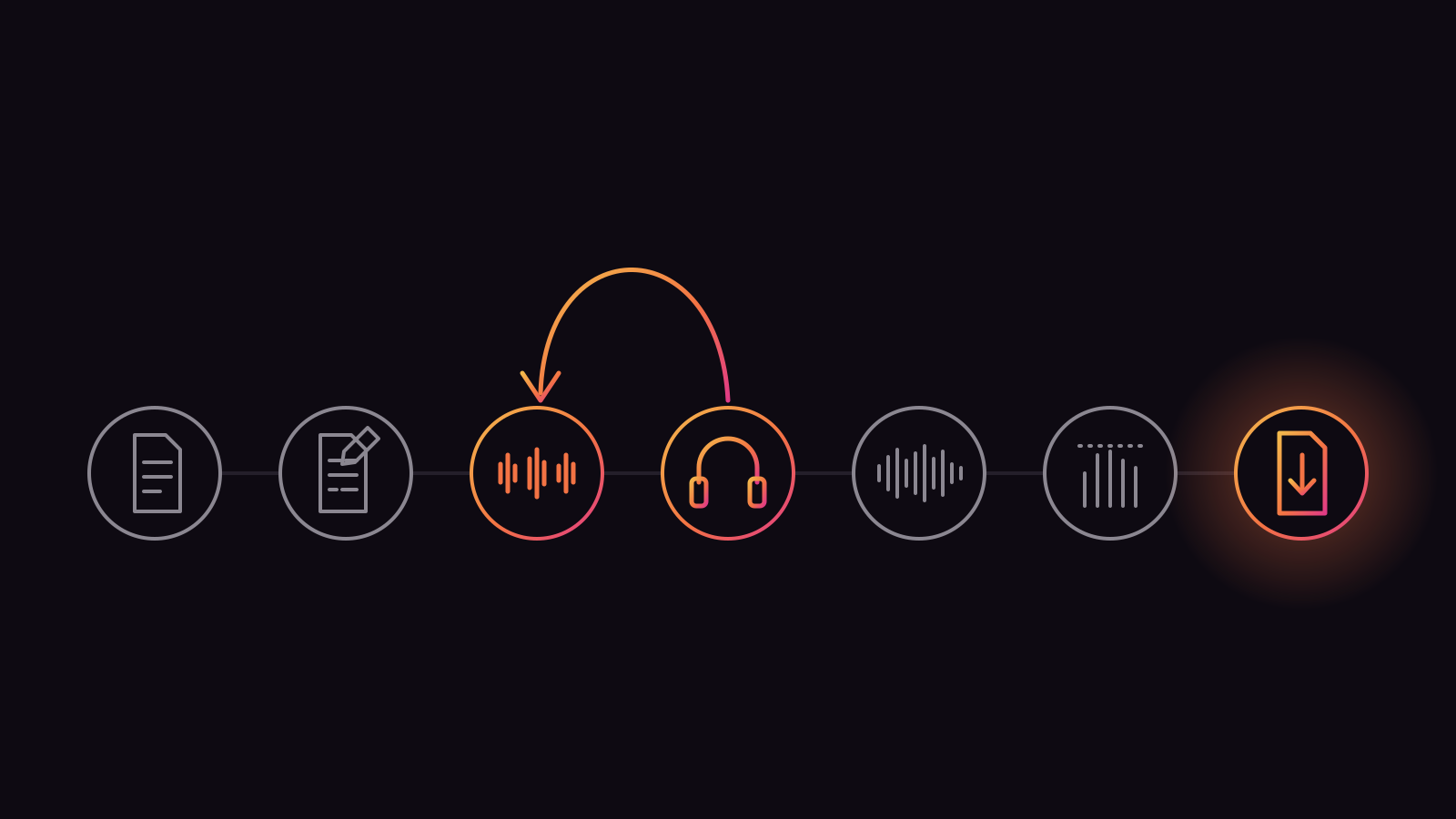
The AI narration workflow has seven stages: rewrite the script for the ear, mark the words the voice will get wrong, render it in sections, listen to every line and re-take the weak ones, assemble the sections, set loudness to the destination's target, and export the file that destination asks for. Skip one and the result sounds generated.
Most guides to this stop after the third stage. Paste the text, pick a voice, press generate, upload. That gets you an audio file. It does not get you narration a listener sits through, and it does not get you a file a podcast directory or a video platform plays at the right volume next to everything else.
What "publishable" actually means
A file is publishable when three things are true. A listener cannot find a line that sounds wrong: no flat question, no mangled name, no sentence that stops in the middle of a thought. The level matches the platform: Apple Podcasts, for one, asks for about -16 LKFS with a 1 dB tolerance and true peaks no higher than -1 dBFS. And the file is in the format the destination takes, at a bitrate it accepts.
The first is editorial. The other two are a few minutes of technical work that almost nobody mentions, and they are the difference between an episode that sits level with the rest of a listener's queue and one they reach for the volume button on.
The seven stages at a glance
Prepare the script
Rewrite the text for listening: shorter sentences, no visual references, numbers and symbols written the way they are said.
Mark the hard words
Respell names, acronyms and product terms the way they sound, in the master script.
Render in sections
One section per paragraph, scene or argument, so a fix replaces one short file.
Listen and re-take
Hear every line, mark the misses, regenerate only those.Assemble
Join the sections, trim, add music under the voice if the format uses it.
Set loudness
Measure integrated loudness and bring it to the destination's target.
Export and publish
Keep a WAV master and export the delivery file each platform asks for.
The rest of this guide takes them in order. Each has its own guide in more depth, linked where it comes up.
Prepare the script for the ear
A script written for the page reads badly aloud. Cut the references to things the listener cannot see, split long sentences, write numbers, symbols and acronyms the way a person would say them, and add a spoken line at the start and the end. This is the cheapest stage, and it removes more "robotic" sound than any voice setting.
A reader can glance back at a sentence. A listener cannot. That one fact drives every edit in this stage. A 45-word sentence with two subordinate clauses works on a page because the eye holds the structure; read aloud, it loses the listener by the second comma. The workflow guides we read agree on the direction, if not the number. One recommends keeping sentences between 10 and 25 words. The full method is in our guide to writing a script that sounds natural when read aloud.
Turning a blog post into a script
To turn a blog post into podcast audio, start with the post's structure and change its surface. Every "as shown below", "see the table" and "click here" has to go or be rewritten as speech. Headings become spoken transitions: "Now, the second problem." Tables become two or three sentences that state what the table proves. Code blocks rarely survive at all.
Length decides how long the episode runs. At a typical speaking pace of 130 to 160 words a minute, 1,000 words is about seven to eight minutes of audio. CAMB.AI suggests posts of 800 to 2,000 words make the best episodes, roughly 5 to 12 minutes, with an intro and outro of 10 to 15 seconds. The mechanical side of this, from a saved article to an MP3 on your Mac, is its own guide: how to convert an article to MP3 on a Mac. What a long post costs to render on each cloud service, re-takes included, is priced out in what it costs to narrate a 5,000-word article.
Names, numbers and symbols
A speech model reads what is on the page. "Q3" might come out as a letter and a digit, "&" as nothing, "2026-10-13" as a subtraction. Write them as you want them heard: "the third quarter", "and", "the thirteenth of October". Do the same for anything the model has never seen: a surname, a product name, an acronym you say as a word.
The trick is to make the respelling permanent. Keep a master copy of the script with the fixes in it, and a short list of the respellings that worked, so the next episode starts from them. We cover the technique, and the cases where it does not work, in fixing mispronounced names and technical terms in TTS.
Render in sections, not in one block
Generate narration a section at a time: a paragraph, a scene or one argument. A bad line then costs a short re-render of its section instead of the whole read, and the sections line up with the places your edit will cut. One workflow guide we read puts a ten-minute video at eight to twelve sections.
There is a second reason to work in sections, and it is about the model. Long passages drift: the pace creeps, the energy flattens, and the voice can wander from where it started. The engine inside txt2mp3 already deals with this below the surface. It groups sentences into chunks of at most 300 characters, renders each chunk, and joins them with a 0.18-second pause inside a paragraph and a 0.45-second pause at a blank line. So a blank line in your script is a real instruction: it tells the voice to take a breath between thoughts.
How long a section should be
Long enough to hold one idea, short enough to re-render without thinking about it. For a podcast episode that is usually a paragraph or two. For a video it is one shot or one scene, because the edit will cut there anyway. One take in txt2mp3 can be up to 20,000 characters, which is roughly a chapter, but that is a ceiling, not a target. A take you can afford to regenerate is a take you will regenerate when it needs it.
Pace and pauses within a section are steered mostly by punctuation and line breaks, and our guide to controlling pace, pauses and emphasis in AI narration goes through what each one does.
Keep one voice and one setting
Pick the voice once and keep it for the whole piece, and for the whole series if there is one. Listeners notice a narrator who changes between episodes long before they notice anything else. The same goes for the settings: render every section of one piece with the same voice match, quality and clean-up values, so the joins do not show.
Why AI narration sounds amateur: the listening pass
Most amateur narration was never listened to from start to finish. The voice was fine; the producer skipped the step where someone hears every line and regenerates the ones that miss. Listen on headphones, mark the flat questions, wrong stresses and mangled names, and re-take only those. This is the step that makes AI narration sound professional.
Think of the first render as a rough cut. Some lines will be right. Some will put the stress on the wrong word, turn a question into a statement, or rush a list. None of that is visible in the text, so the only way to find it is to hear it.
What to listen for
Listen once all the way through without stopping, and write down the time of every line that pulls you out. Then go back to those lines only. The usual misses are:
- Wrong stress. "I didn't say he took it" and "I didn't say he took it" are different sentences. Rewording often fixes it; a second take often does too.
- Flat questions. A question that ends like a statement. Shorter questions land more reliably.
- Mispronounced names. Fix them in the text, not by re-rolling and hoping.
- Rushed lists. Add commas, or break the list into sentences.
- Artifacts. Clicks, whistles or crackle in a take. A second render is usually clean.
Hearing your own writing read back is useful before you publish anything, narration or not, and we wrote it up separately in how to hear your own draft before you publish it.
Re-takes are the step a meter discourages
Here is the part the vendor guides leave out. On a cloud plan every regeneration is billed in full, because the meter counts the text you send and cannot tell a first take from a fifth. One ElevenLabs workflow guide we read tells its readers, in so many words, "Do not regenerate excessively", and to set aside part of the monthly quota for testing. That is sensible advice about a budget. It is bad advice about narration, because the re-take is where the quality comes from.
On a model that runs on your own Mac the re-take costs a few seconds of the machine's time and nothing else. txt2mp3 is one payment: $29 for the launch batch, then $69, then $99 as the standing price. After that, the third take of a line is an editing decision, not a spending one, and that changes how carefully you listen. What the cloud version of the same habit costs is worked out in our guide to the text-to-speech cost per character.
Every take txt2mp3 renders also lands in its History screen, so the version you rejected on Tuesday is still there on Thursday if the new one turns out worse. How to keep that archive useful over months is its own guide: keeping track of every render you have made.
Assemble the take
Join the approved sections in order, with pauses that follow the script's structure: short between sentences, longer between sections. Trim any dead air at the start and end, and add music low under the voice only if the format calls for it. A narration track should sound like one read, not a stack of files.
If you rendered with consistent settings, most joins disappear on their own. The ones that do not usually need a slightly longer pause, not a crossfade. Keep a beat of silence at the very start and end of the file, too. Audiobook platforms ask for it explicitly: ACX recommends one to five seconds of room tone at the start and end of every file.
Music and sound under the voice
If an episode has a music bed, it sits well under the voice, not next to it. One video workflow guide we read puts background music at 15 to 25 percent of the voiceover's volume, rising during pauses. Whatever you choose, set the music before the loudness stage, because loudness is measured on the whole mix.
Where to assemble
Any audio or video editor will do. For a podcast that might be Audacity, Hindenburg or Adobe Audition; for a video it is the editor's own timeline, where the narration gets its own track. The whole video chain, from text to an uploaded file, is laid out in the text-to-audio production chain for faceless YouTube videos.
AI voiceover loudness: set it to the destination's target
Measure the integrated loudness of the finished mix in LUFS and bring it to the destination's target: -16 for Apple Podcasts, with true peaks no higher than -1 dBFS. Spotify normalizes to -14. Loudness is not the same as the peak level, and a file that never clips can still be far too quiet or too loud next to everything else.
This is the stage that is missing from nearly every guide to AI voiceover we read. They say "normalize the volume" and stop. The trouble is that "normalize" usually means scaling the file so its loudest sample hits a set level, and that tells you nothing about how loud it sounds.
Peak normalization is not loudness
A peak is a single instant. Loudness, measured in LUFS (or LKFS, the same scale under another name), is how loud the whole programme sounds over time. Two files with identical peaks can sit several decibels apart in loudness. Podcast apps and streaming platforms work in loudness: Apple's Sound Check plays at -16, and Spotify's player turns tracks to -14 LUFS.
To be plain about our own app: txt2mp3 does peak normalization, not loudness normalization. At its default clean-up setting, the last step of every take scales the loudest sample to just under full scale, about -0.9 dBFS. That keeps the file from clipping. It does not set loudness, and it sits above Apple's -1 dBFS true-peak ceiling. So a loudness pass is still its own step.
The targets that apply
| Destination | Loudness target | Peak ceiling | What it accepts |
|---|---|---|---|
| Apple Podcasts | -16 LKFS, within 1 dB | True peak -1 dBFS | MP3 or AAC in a feed; mono 64 to 128 kbps at 44.1/48 kHz |
| Spotify | Normalizes to -14 LUFS | True peak below -1 dB | Spotify's guidance is written for music |
| YouTube | -14 LUFS, per Podnews | Not stated by our sources | Whatever the video editor exports |
| Audible, via ACX | -23 to -18 dB RMS (a different measure) | Peaks under -3 dB | MP3, constant 192 kbps or higher, 44.1 kHz |
Two notes on the table. Podnews, which covers the podcast industry, reports that most podcasters still deliver -16 LUFS even to Spotify and YouTube, which ask for -14; that keeps one master for every platform. And ACX measures RMS, not LUFS, and has rules about AI narration that come up in the last section.
Mono and stereo read differently
txt2mp3 exports mono, which is the natural format for one voice. Podnews spells out the catch: to hit -16 LUFS in stereo, a mono file should measure -19 LUFS. Check which way your tool and your host count, and if a host insists on stereo, export two identical channels. Apple's upload service for subscriber audio, for one, does not accept single-channel WAV or FLAC.
Tools that do it
You do not need a mastering engineer. Hindenburg has a built-in loudness meter; Adobe Audition and Audacity can export to a loudness target (Audacity's default is -23, so change it); Auphonic does it as a service; and Leveler is a free Mac app that adjusts files automatically. Apple asks for this to happen before encoding, so set the loudness on the WAV, then make the MP3.
Export the file the platform asks for
Keep a WAV master of the finished, loudness-corrected mix, and export one delivery file per destination from it: MP3 or AAC for a podcast feed, WAV for a video editor's timeline. Encoding from the master each time avoids compressing a file that was already compressed.
txt2mp3 exports both. The WAV is 16-bit PCM, mono, at the model's 48 kHz. The MP3 is mono at 192 kbps, which is above Apple's recommended range for a mono feed, and a sensible master to give a podcast host that re-encodes anyway. Which one to pick, and when the difference matters, is the subject of MP3 vs WAV for narration.
Podcast feeds
Upload the MP3 (or AAC) to your host, not the WAV. Apple recommends 64 to 128 kbps for a mono feed at 44.1 or 48 kHz, and prefers AAC in an MP4 container where the host supports it. Most hosts handle this for you; the loudness is the part they will not fix.
Video timelines
Drop the WAV into the editor on its own track and let the video export encode the audio once, at the end. Re-encoding an MP3 into a video's AAC track is a second lossy pass for no reason.
Audiobooks
ACX wants one chapter per file, each no longer than 120 minutes, at a constant 192 kbps or higher and 44.1 kHz. txt2mp3's MP3 runs at 48 kHz, so an audiobook file would need resampling. Read the last section before you do that work.
Captions from the same take
Word-level timestamps from the narration become captions without anyone retyping the script. Ask for captions when you render, and the take comes back with the start and end time of every word, which subtitles, animated captions and transcript pages can all use. It costs one setting and a few seconds.
In txt2mp3, captions are a switch on the take. The app aligns the audio it just made with Whisper, then shows the result two ways: timestamped caption blocks you can copy as a three-column table, with a slider that merges short sentences into longer blocks, and the raw per-character timings as JSON for subtitle and animation tools. It does not write an SRT file directly; a subtitle editor or a short script turns the blocks into one.
Why word-level timing matters more than a line-per-sentence file is the subject of what word-level caption timestamps are, and getting from there to a subtitle track is in how to generate subtitles from AI narration automatically.
A checklist before you publish
Before the file goes anywhere, listen to it once more from start to finish on two kinds of speaker, check the loudness and the peaks against the destination's numbers, and confirm the format. Five minutes here saves a re-upload and a listener who quits in the first minute.
Before the file goes out
One full listen on headphones
Every line. Write down any time stamp that pulls you out, then fix those lines and listen to the fixes in context.
One listen on a phone speaker
Music beds that sound fine on headphones often bury the voice on a small speaker.
Loudness measured, not guessed
Integrated loudness at the target (for example -16 LUFS for Apple Podcasts, within 1 dB), true peaks at or under -1 dBFS.
The format the destination asks for
MP3 or AAC for a feed, WAV for a timeline, mono or stereo as the host expects.
A beat of silence at both ends
No clipped first syllable, no last word cut off by the player.
The master script saved with its fixes
The respellings and rewordings that worked are the head start on the next episode.
Letting an agent run the middle stages
Once the script is prepared, rendering, captions and export are mechanical, and they can be handed to an AI agent. txt2mp3 runs a local MCP server, off by default and switched on in Settings once the app is licensed, that lets an agent list voices, generate a take, read captions and export a file. The listening pass stays yours. How to set that up is in how to let an AI agent generate speech from your text.
Where a cloud tool or a human narrator still wins
A local app is not the answer to every narration job. Audible, through ACX, prohibits text-to-speech and AI narration unless it is authorized. A cast of many voices in many languages is easier from a large cloud library. And txt2mp3 runs only on Apple silicon Macs, so a team on mixed machines is better served elsewhere.
Audiobooks for Audible. ACX's own submission requirements say narration must be human unless otherwise authorized, and that unauthorized text-to-speech, AI or automated recordings are prohibited. If Audible through ACX is the destination, this workflow is the wrong one, however good the file sounds. Other audiobook outlets set their own rules; check them before you narrate a chapter.
Breadth. A cloud library offers a large catalogue of ready-made voices, dubbing into other languages, team seats and an API to call from a server. A local app ships one strong model, a set of preset voices and cloning from your own recordings. For one narrator and a lot of minutes, that is the better trade. For a forty-character drama in a dozen languages, it is not. Our comparison of ElevenLabs and txt2mp3 draws that line feature by feature.
Volume. If you narrate a few minutes a month, a free tier costs less than any purchase. The arithmetic tips the other way as the minutes and the re-takes add up; where it tips for your own output is in unlimited AI voiceover software for Mac.
Platform. txt2mp3 needs an Apple silicon Mac and a one-time model download of a little over 5 GB. If you edit on Windows or need speech generated on a server, an API is the practical choice.
For everything else, the stages above are the same whichever tool renders the voice. What changes with a local model is the fourth one: when a re-take is free, you listen like an editor instead of an accountant. The trial in the app speaks 120 characters before you pay anything, which is enough to hear whether the voice is worth building the rest of the workflow around.
Frequently asked questions
My AI narration sounds amateur. What steps am I missing?
Usually two. The listening pass: someone hears every line end to end and regenerates the ones with wrong stress, flat questions or mangled names. And loudness: the finished file is measured in LUFS and brought to the platform's target, -16 for Apple Podcasts with true peaks no higher than -1 dBFS. A script rewritten for the ear, with short sentences and spelled-out numbers, fixes most of what is left.
What do I do with the audio after the AI has generated it?
Listen to all of it and re-take the lines that miss. Join the sections with natural pauses and add any music. Measure integrated loudness and set it to the destination's target, on the WAV, before encoding. Then export the delivery file: MP3 or AAC for a podcast feed, WAV for a video timeline. Keep the WAV master for the next platform.
How long does a 2,000-word blog post run as audio?
About 12 to 15 minutes at a typical speaking pace of 130 to 160 words a minute. A slow, documentary read runs longer, a brisk explainer shorter. Rewriting the post for the ear often shortens it a little, because tables and visual references come out.
Can I publish AI narration on Audible?
Not through ACX without authorization. ACX's audio submission requirements say narration must be human unless otherwise authorized, and prohibit unauthorized text-to-speech, AI or automated recordings. Other audiobook outlets set their own rules, so check the one you plan to use before you narrate a whole book.
Should I export MP3 or WAV?
Both, for different jobs. Keep a WAV master and set loudness on it. Export MP3 or AAC from that master for a podcast feed, and put the WAV straight onto a video timeline so the audio is only compressed once, at the final export. txt2mp3 exports WAV as 16-bit mono at 48 kHz and MP3 as mono at 192 kbps.
Do I need a separate audio editor?
For a single voice with no music, often not: render in sections, re-take, export, and run one loudness pass with a tool like Auphonic or Leveler. Once there is music, several sections to join or a video to cut, an editor such as Audacity, Hindenburg or your video editor's timeline is the easier place to assemble the take.
Where the numbers came from
Apple Podcasts for Creators: Audio requirements
podcasters.apple.com/support/audio-requirementsLoudness of about -16 dB LKFS with a 1 dB tolerance; true peak no higher than -1 dB FS; measured under ITU-R BS.1770-5; loudness preconditioning before encoding; Sound Check targeting -16; feed audio as MP3 or AAC (AAC in MP4 preferred), mono at 64 to 128 kbps at 44.1/48 kHz; single-channel WAV or FLAC not accepted for subscriber audio. Fetched 13 October 2026.
ACX: Audio submission requirements
help.acx.com/s/article/acx-audio-submission-requirementsVolume between -23 dB and -18 dB RMS; peaks under -3 dB; noise floor no higher than -60 dB RMS; one to five seconds of room tone at the start and end of each file; MP3 at a constant 192 kbps or higher and 44.1 kHz; files no longer than 120 minutes; narration must be human unless otherwise authorized. Fetched 13 October 2026.
Spotify for Artists: Loudness normalization
support.spotify.com/us/artists/article/loudness-normalizationPlayback adjusted to -14 dB LUFS under ITU 1770; masters kept below -1 dB true peak. Written for music. Fetched 13 October 2026.
Podnews: How to do loudness, the LUFS and LKFS FAQ for podcasters
podnews.net/article/lufs-lkfs-for-podcastersThe industry's -16 LUFS standard; -16 LUFS stereo equalling -19 LUFS mono; Spotify and YouTube asking for -14 while most podcasters deliver -16; Audacity's -23 default; the tools named (Hindenburg, Audition, Audacity, Auphonic, Leveler). Fetched 13 October 2026.
Async (Podcastle): How to turn an article into a podcast
async.com/blog/article-to-podcastA typical speaking pace of 130 to 160 words a minute, and 1,000 words as about seven to eight minutes of audio. Fetched 13 October 2026.
CAMB.AI: How to turn blog posts into podcasts
www.camb.ai/blog-post/how-to-turn-blog-posts-into-podcastsPosts of 800 to 2,000 words, roughly 5 to 12 minutes of audio; an intro and outro of 10 to 15 seconds. Fetched 13 October 2026.
AI Productivity: ElevenLabs YouTube voiceover workflow
aiproductivity.ai/guides/elevenlabs-youtube-voiceover-workflowSentences of 10 to 25 words; eight to twelve sections for a ten-minute video; music at 15 to 25 percent of the voiceover's volume; the advice not to regenerate excessively and to reserve quota for testing. Its plan prices are out of date and were not used. Fetched 13 October 2026.
VoxCPM2 model card
huggingface.co/openbmb/VoxCPM248 kHz output from the model txt2mp3 runs. Fetched 12 October 2026.
txt2mp3, first-hand
From the app's own engine and export code: sentences grouped into chunks of at most 300 characters, joined with 0.18 seconds of silence inside a paragraph and 0.45 seconds at a blank line; up to 20,000 characters per take; the default clean-up ending in peak normalization to 0.9 of full scale (about -0.9 dBFS, derived); WAV export as 16-bit PCM mono and MP3 as mono at 192 kbps; captions aligned with Whisper and offered as copyable blocks and per-character JSON; every take kept in History; the MCP server, off by default. Also the $29, $69 and $99 price ladder, the 120-character trial and the model download of a little over 5 GB. The 12 to 15 minutes for 2,000 words is derived from the 130 to 160 words-a-minute pace.